Recoloring guide
Fix muddy colors and rough recolor edges
Start with the problem you can see in the preview. Adjust one control at a time and compare the result with the original. The right settings depend on the source colors, edges and region you want to change.
The color changes too little of the image
Increase Tolerance gradually, comparing each result. It controls how closely a pixel must match the sampled source color. For shaded surfaces, try sampling a representative midtone before widening the range.
Unrelated areas change color
Use Select to restrict the edit and Erase to protect nearby details. A wider tolerance also catches more similar colors; a mask gives you separate control over where the edit applies.
Edges look rough
Inspect the mask at full size. Compare a small change in Edge softness before increasing tolerance again. Too much softness can make an edit spill across a boundary; refine the painted region if that happens.
The replacement color looks muddy
Compare Prime white first on and off, then adjust Color purity. Higher purity moves the result toward the chosen replacement color when Prime white first is enabled. It can also reduce the variation that makes shading look natural.
Fabric or surface shading looks flat
Keep Shade on and compare lower Color purity values. The bottle example below uses purity 20 for visible shading; a flatter raster icon uses Shade off. Compare the results rather than adopting one setting for every image.
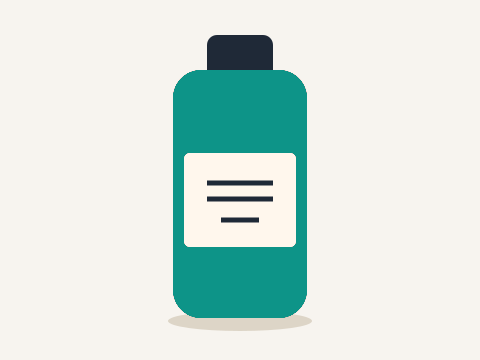
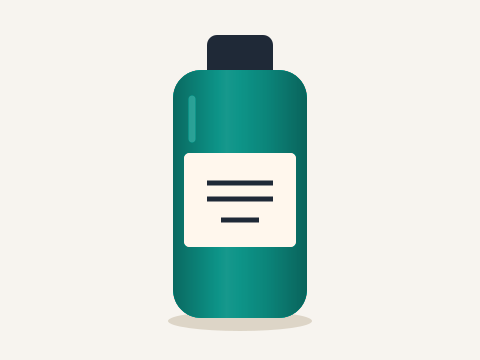
Both are actual editor outputs, with the same teal target, Strength 100 and Tolerance 45. Labels here describe settings comparison rather than an original photo.
Use the PNG example for a flat graphic and the shirt example for fabric. If a difficult boundary remains, use a tighter mask or another source image.
Try your own color replacement
Choose an image, replace a selected color, inspect the result, and download a PNG.
Open the image color changerTroubleshoot recolor settings · Formats and export help · All recoloring guides